| Remove the standard USB audio drivers
Note:- If the correct drivers of Andrea are installed, you can hardly remove them. That is not necessary either, checking the option Disable microphone improvements (see previous page) will do.
- If the tab Advanced microphone functions is shown (see previous page), you do not have to do the instructions on this page.
- Apologies for the Dutch screen shots
Go to properties of microphone- Click right on the speaker icon in the "system tray" and click on Opneemapparaten (Recording devices)
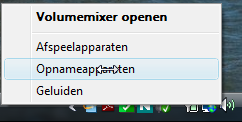
- Doubleclick on Microfoon USB input device:

- And click on Eigenschappen (Properties):

Remove the (standard) drivers- Now click on Verwijderen (Remove) of the driver,
- Maybe you need another Confirm

- Another confirm and wait a little...
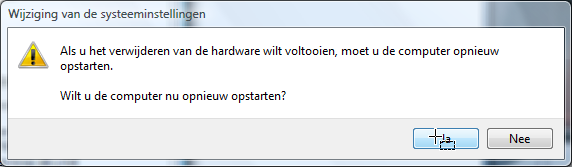
Complete the uninstall- Now unplug the microphone from the USB port. Only then restart the computer.
|
|
